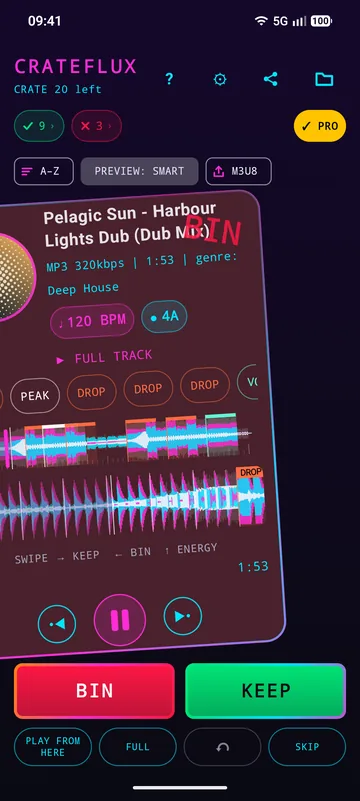
Swipe to sort
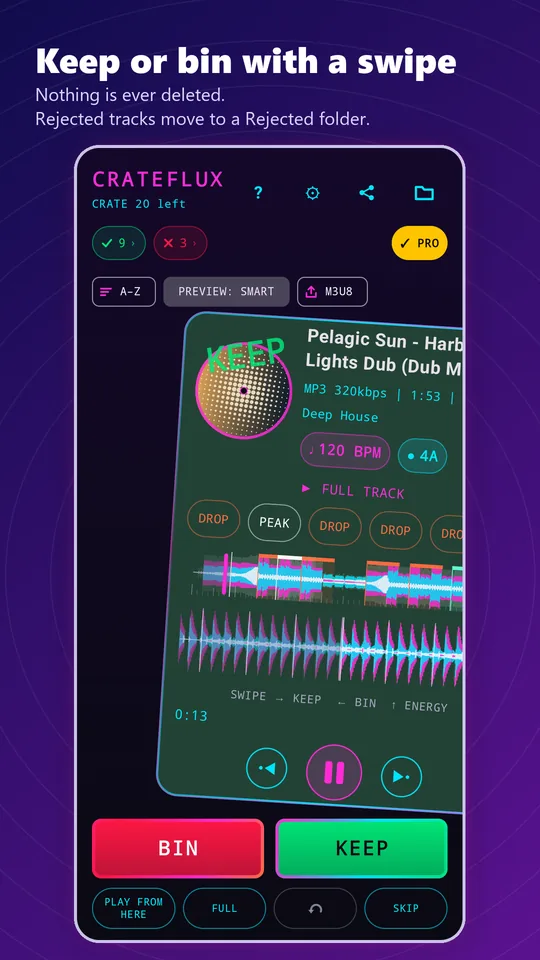
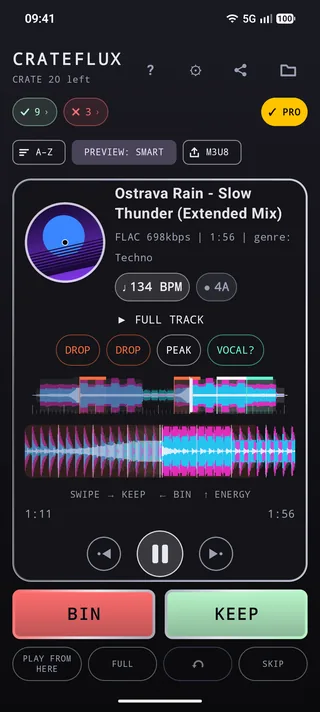
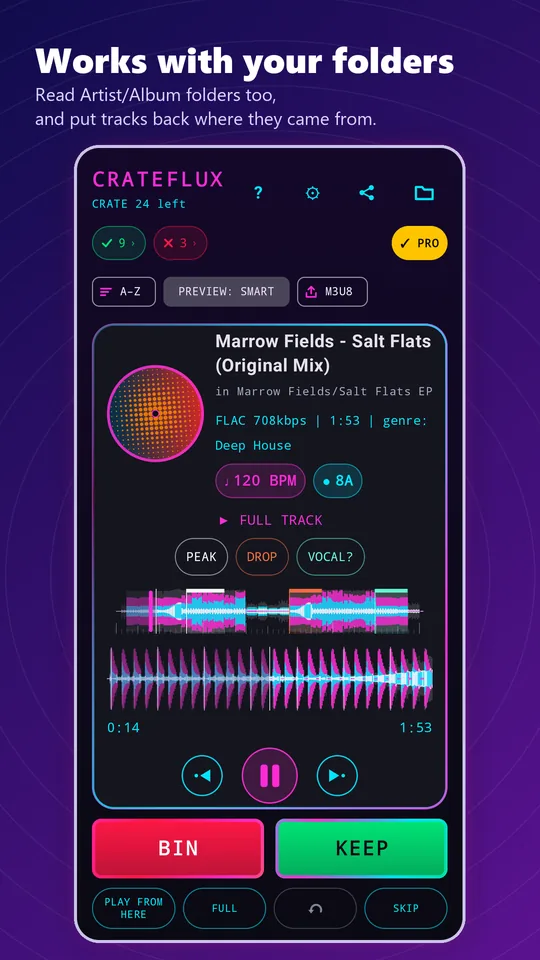
Swipe right to KEEP: pick a genre and the track is tagged and moved to your Keep folder. Swipe left to BIN: the track moves to a Rejected folder. Undo your last move, or Skip a track to the back of the crate.
CrateFlux for Android
That folder of new downloads you never get round to sorting? CrateFlux gets you through it in minutes. It brings the feel of digging through the crates in a record shop to your digital library: drop the needle on the intro, the middle and the outro, then decide.
How it works
As a DJ you already know how to judge a tune quickly: lift the needle, drop it on the intro, the middle, the outro, and decide. CrateFlux is built around exactly that habit. Point it at a folder and it deals you one track at a time. Keep it and it is tagged with a genre and moved to your Keep folder. Bin it and it moves to a Rejected folder. Nothing is ever deleted.
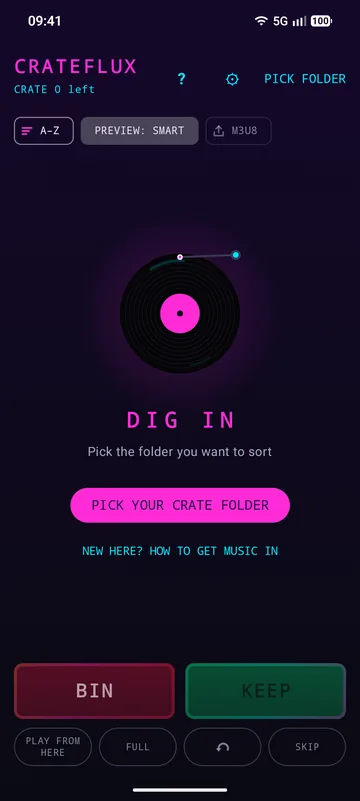
Choose a folder of new tracks and CrateFlux queues them up as your crate.
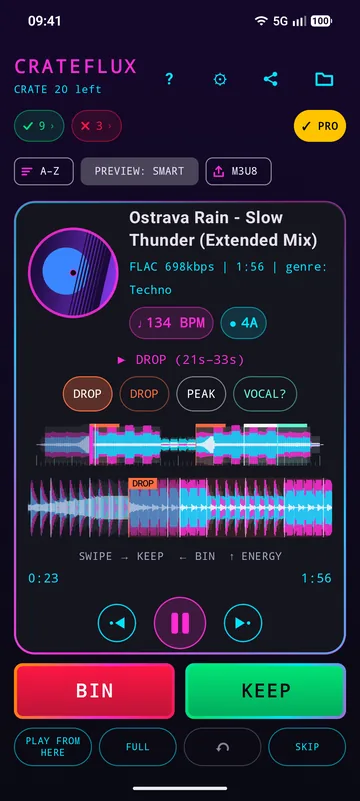
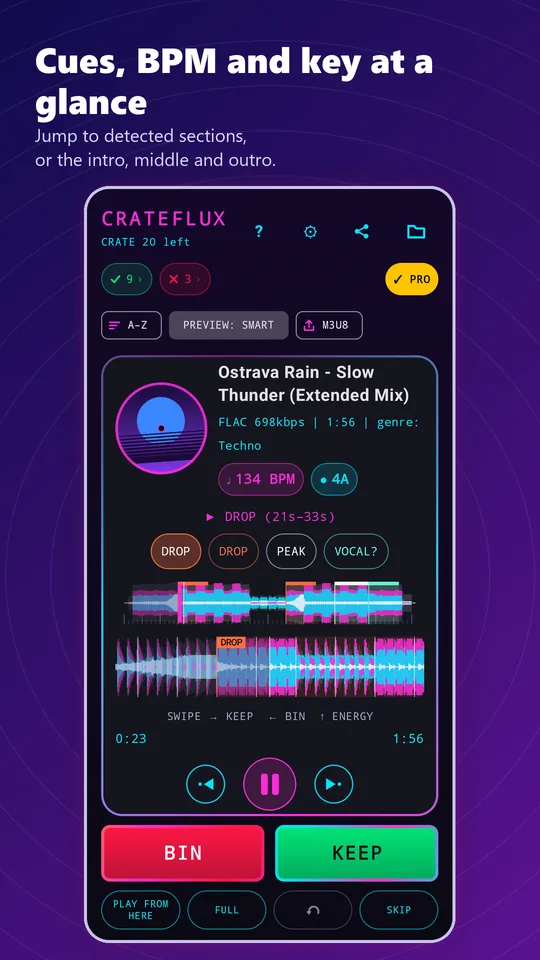
Each track previews its intro, midpoint and outro automatically, or jumps straight to its detected sections.
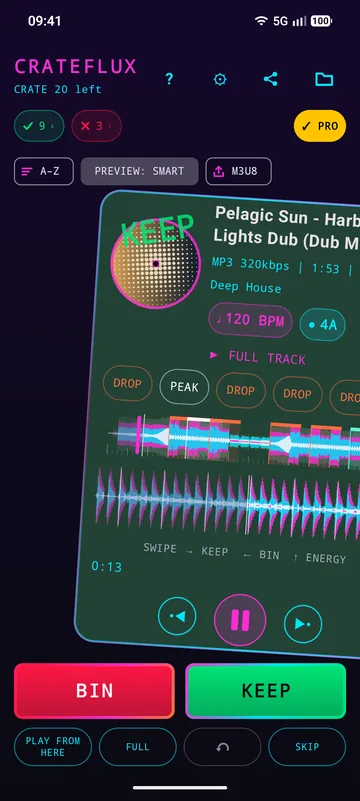
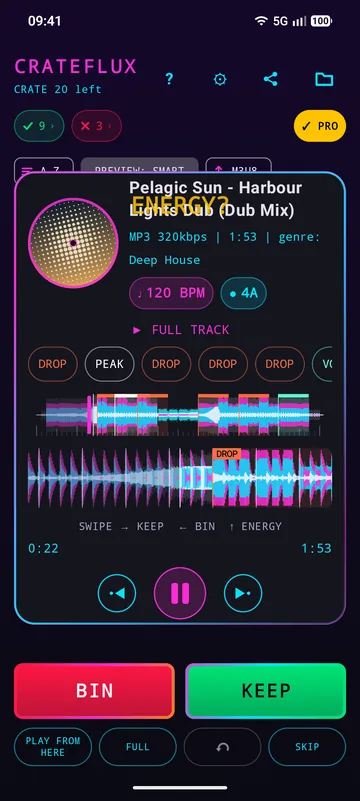
Right to keep, left to bin, up to give it an Energy Level from 1 to 5.
Features
Swipe right to KEEP: pick a genre and the track is tagged and moved to your Keep folder. Swipe left to BIN: the track moves to a Rejected folder. Undo your last move, or Skip a track to the back of the crate.
The track’s own cover art turns like a record beside the title, or a vinyl when a file has no art. Tap it to pause or play. While a track plays, a ring of colour circles the card.
Every track is analysed on your phone for builds, drops, breaks, likely vocals and peaks. Drops, breaks and builds land on the beat, so a cue takes you straight to the bar, and more drops are found, with up to 8 cues per track. They show as colour-coded sections on the waveform and as cue buttons, and Smart Preview plays through every cue in order.
BPM and key are read from your tags and shown as harmonic-mixing key codes. Sort the whole crate by BPM.
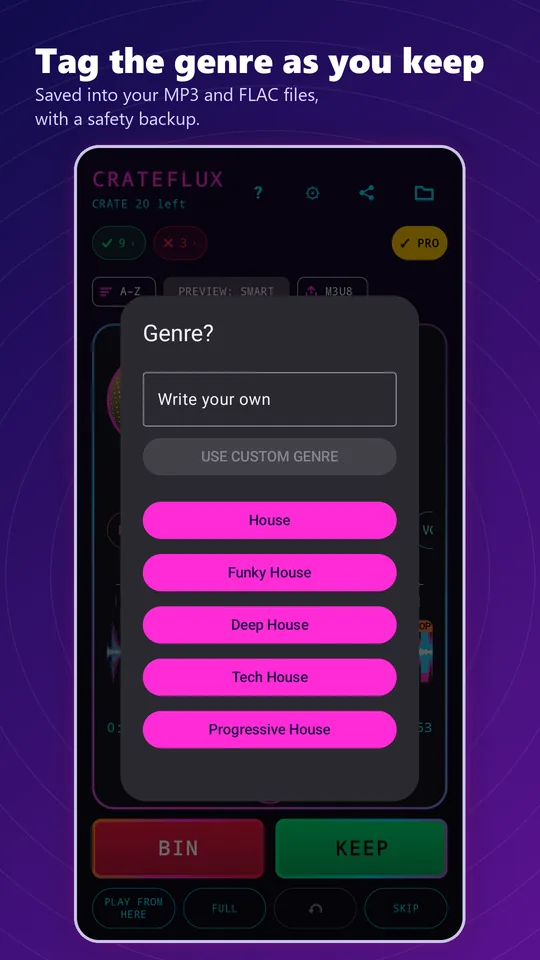
Choose from a genre list covering House, Trance, Techno, Drum & Bass and more, with sub-styles and custom genres. The genres you use most rise to the top, and your custom ones are remembered. Genre and energy are written to the tags of MP3 and FLAC files, ready for your DJ software.
Everything you kept exports as an M3U8 playlist for your DJ software: all of it, or one genre at a time. It offers to open the playlist in your player straight away.
Playback carries on while you use other apps, with a notification control.
KEPT and REJECTED show what’s really in your Keep and Rejected folders, so a folder you’ve already sorted is right straight away, and the app reopens on the track you were on. Reset Session moves everything back into the crate.
Your music never leaves your device. No account, no uploads, no ads.
Turn on Include subfolders and CrateFlux reads the tracks in Artist and Album folders too. Kept and rejected tracks still go to one Keep and one Rejected folder, and Undo or Reset Session puts each track back where it came from.
See everything you kept with its genre, and filter the list by genre.
Works in portrait and landscape, with a two-pane layout on tablets, foldables and wide screens.
Bass, mids and highs are drawn in layers, so a breakdown shows as the bass dropping out and a build as the highs climbing, with bar lines along the beat grid. Below it, a zoomed close-up of the bars around the playhead that you can drag through.
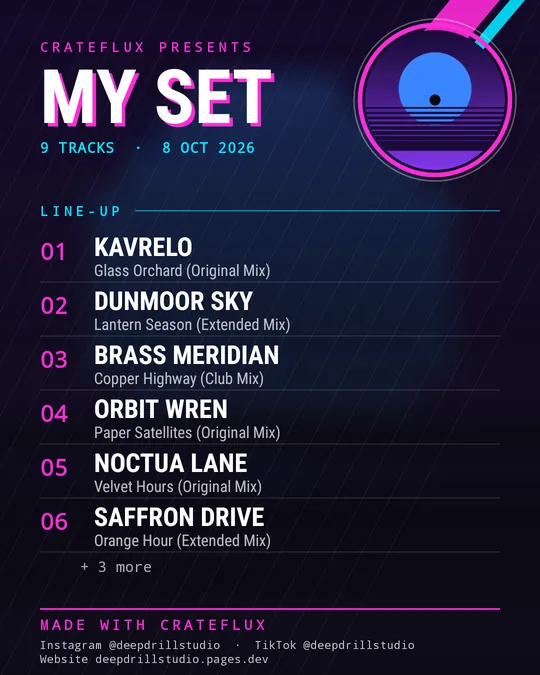
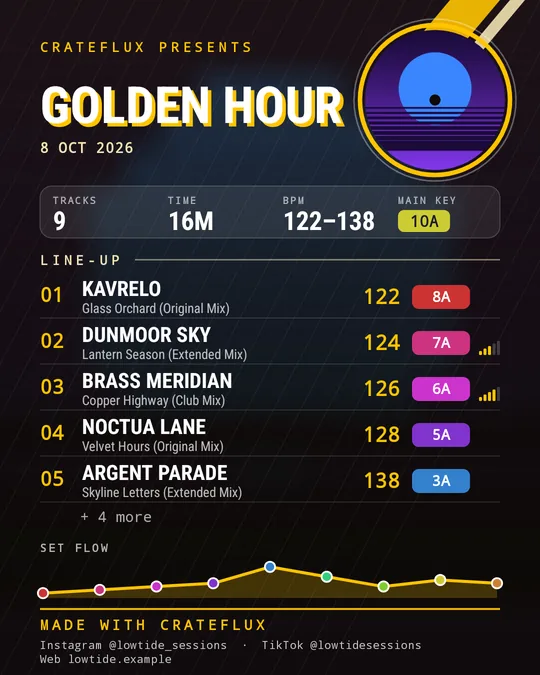
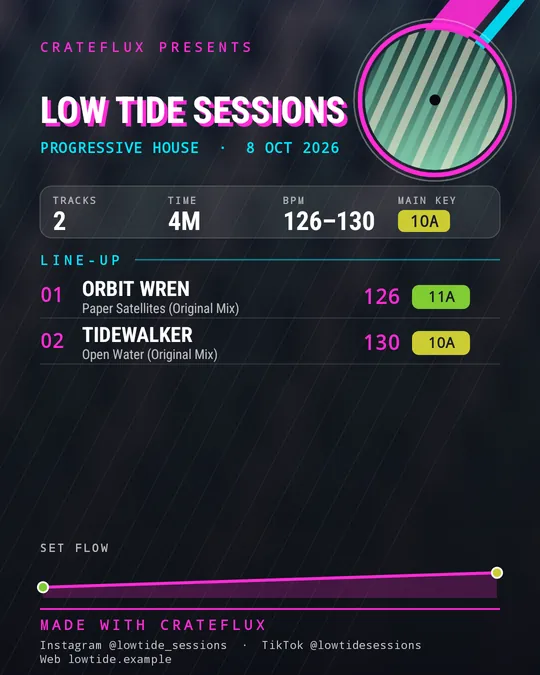
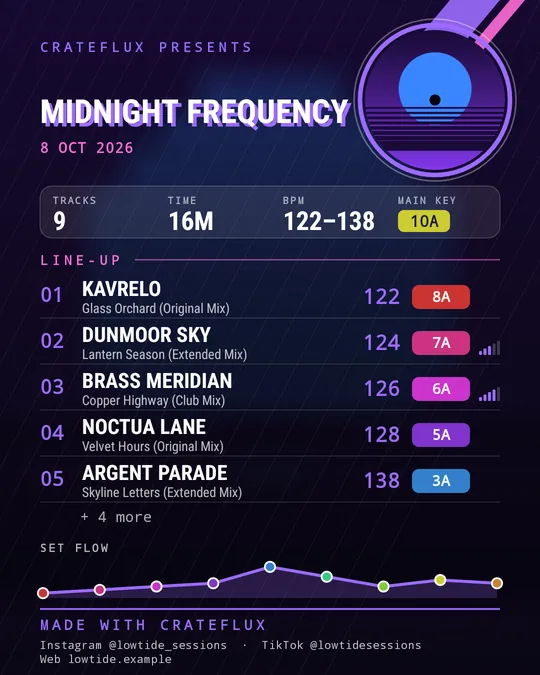
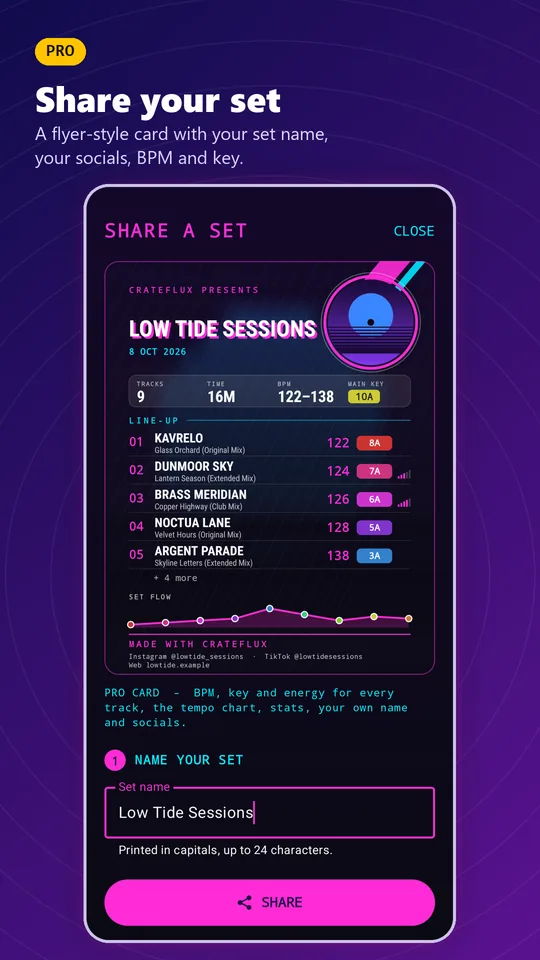
Turn your Keep folder, or one genre of it, into a flyer-style picture for your socials and messaging apps: a big “MY SET” title and a numbered line-up over your cover art. With Pro, add your set name and socials, BPM, key and energy for every track, stats and a tempo-flow chart, and make cards from any folder.
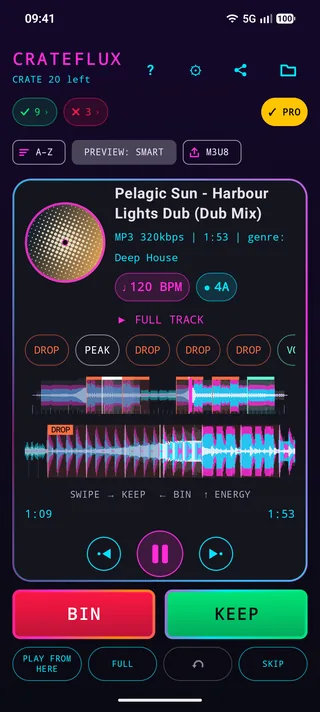
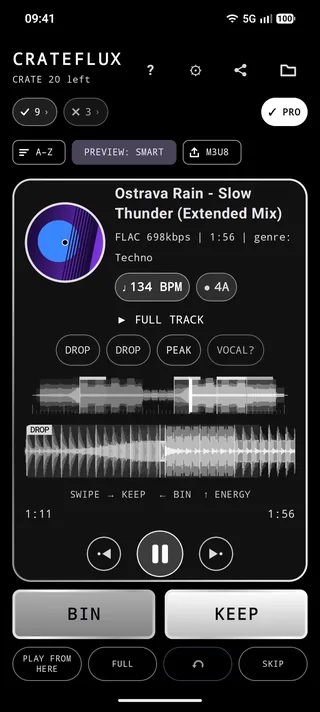
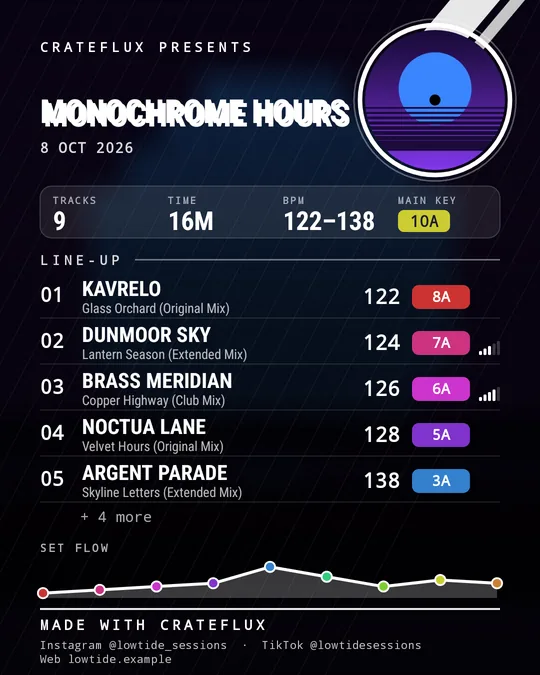
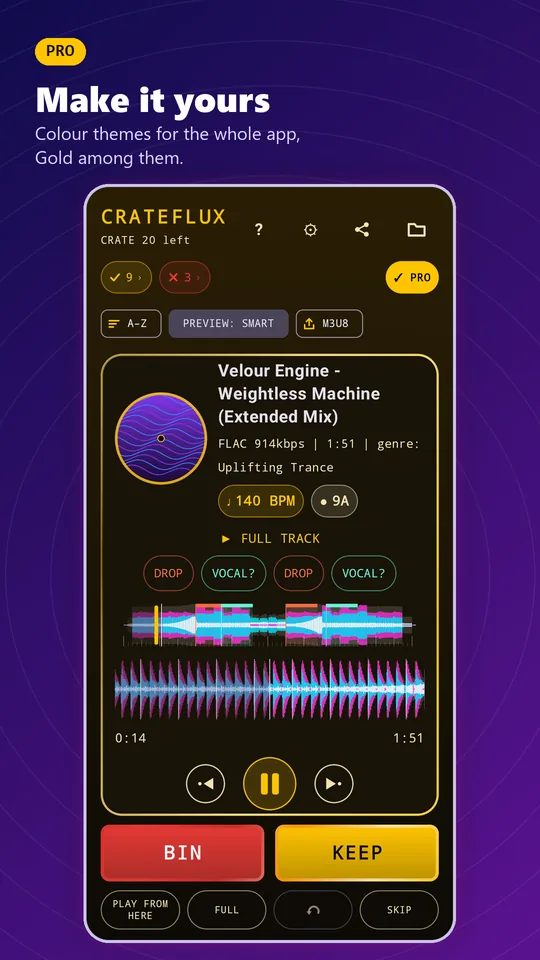
Recolour the whole app. KEEP and BIN take each theme’s colours with a slowly drifting frame. Neon and High Contrast are free; High Contrast is pure black and white, built to the highest (AAA) contrast standard for easy reading. Pro adds Gold, Ice, Ultraviolet, Sunset and Silver.
Watch
Real screen recordings from the app, sorting an invented library.
Colour themes
Seven themes recolour the whole app. Neon and High Contrast are free.
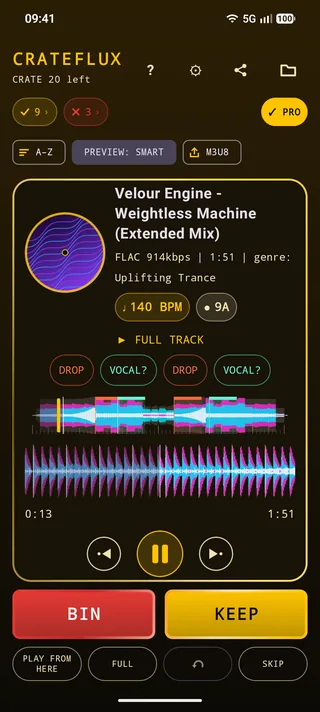
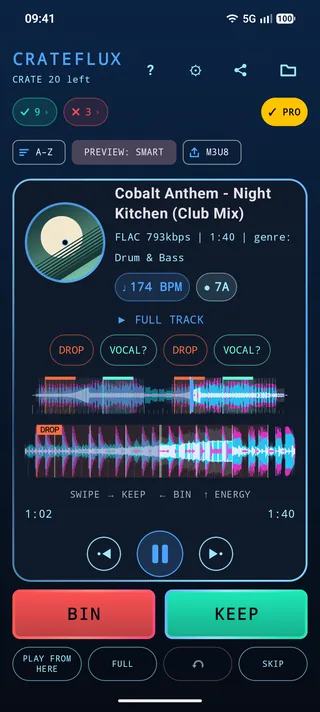
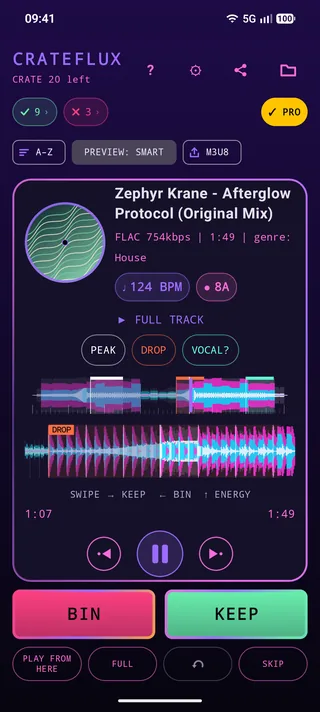
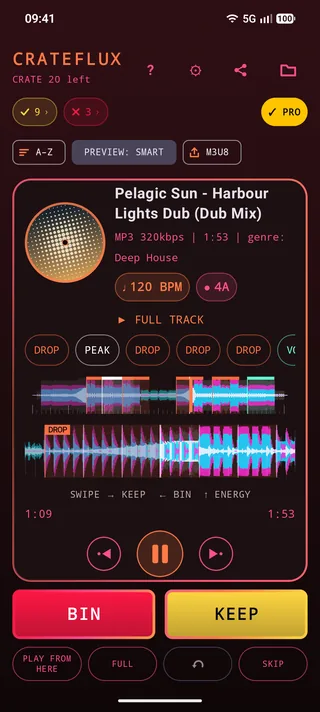
Share your set
CrateFlux turns your Keep folder, or one genre of it, into a flyer-style picture for your socials and messaging apps. The free card carries a numbered line-up; Pro adds your set name and socials, BPM, key, energy, stats and a tempo-flow chart.
Screenshots
Scroll sideways for more. Shots marked PRO show Pro features.
Free vs Pro
| Feature | Free | Pro |
|---|---|---|
| Swipe sorting, genre and energy tagging | Yes | Yes |
| Intro, midpoint and outro previews | Yes | Yes |
| BPM and key from existing tags, with key codes | Yes | Yes |
| Sort by BPM, M3U8 export of kept tracks (all or one genre) | Yes | Yes |
| Background playback | Yes | Yes |
| Smart Cue Detection | First three sections per track | Every section |
| BPM and key detection for untagged tracks | No | Yes |
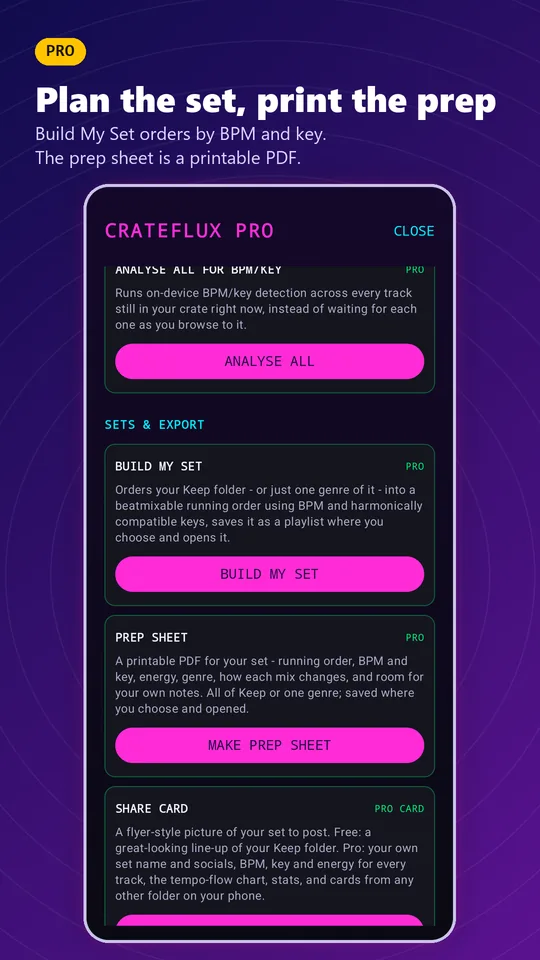
| Build My Set: a mixable running order from your Keep folder or one genre, counting half and double time and energy-lifting key changes, saved where you choose | No | Yes |
| Prep Sheet: a designed A4 PDF for gig day, in running order, with a BPM chart coloured by key, energy for every track, a “mix in” note for each change and room for your notes. All of Keep or one genre | No | Yes |
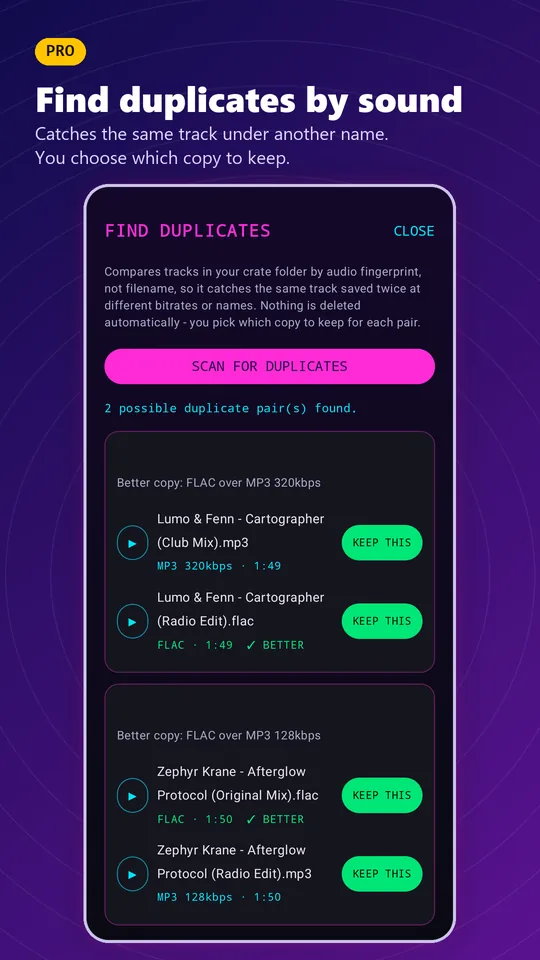
| Find Duplicates: matches tracks by how they sound and marks the better copy. You choose, and every choice can be undone | No | Yes |
| Share card: a flyer-style picture of your set | Numbered line-up | Your set name and socials, BPM, key, energy, stats, a tempo-flow chart and cards from any folder |
| Colour themes for the whole app | Neon and High Contrast | All seven, adding Gold, Ice, Ultraviolet, Sunset and Silver |
Pro is a one-time purchase with no subscription. Every Pro feature lives on its own PRO screen in the app.
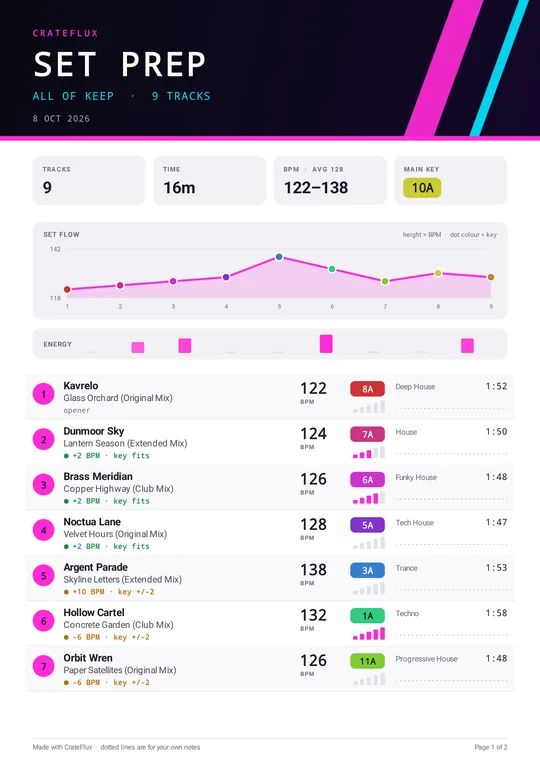
Pro · Prep Sheet
A designed A4 PDF in running order: summary tiles, a BPM chart coloured by key, energy for every track, a “mix in” note for each change (tempo step and whether the key fits), and a dotted line per track for your own notes. Make it for all of Keep or one genre, and save it where you choose.
Good to know
FAQ
No. Binned tracks are moved to a Rejected folder, and Reset Session moves everything back into the crate.
For MP3 and FLAC files, it writes the genre you pick and the energy level you set into the file’s tags. Other tags are left as they are.
No. All analysis runs on your phone, and your music never leaves your device.
No. Pro is a single purchase in each app.
Not at present. CrateFlux is Android-only.
In a Keep folder inside the folder you chose, along with an M3U8 playlist for your DJ software.
Android 11 and later blocks apps from opening the storage root and Downloads directly. Move new tracks into their own folder first.
Yes. Turn on Include subfolders in Settings. It is off by default, and CrateFlux offers it if the folder you pick has no tracks of its own but music in folders below it.
No. It marks the better copy (lossless first, then higher bitrate), but you choose, and Undo covers every choice.
Yes. The share icon makes a flyer-style picture of your Keep folder, or one genre of it, to send to any app on your phone. Pro adds your own set name and socials, BPM, key and energy, and a tempo-flow chart.
No. There is no sign-up and no login.
No.
Yes. Pro is tied to your Google account. Use Restore purchases in the app if it does not come back on its own.
No. CrateFlux works with music files stored on your device.
They are estimates designed to speed you up, and they work best on electronic music with a steady tempo.